
Keyboard Butter in Stack A Butter Squishy: Price and 500% Effect
Last updated:
Keyboard Butter is a Limited squishy with output tied to your best butter and a distinctive keyboard sound. Here’s how to buy it, process it, and decide whether its effect is worth your Robux.

What Keyboard Butter Does
Keyboard Butter makes 500% of your best squishy’s output. That means five times the reference output, not the best squishy’s output plus another 500%. As your best squishy improves, Keyboard Butter’s scaling value improves too.
How to Buy and Process Keyboard Butter
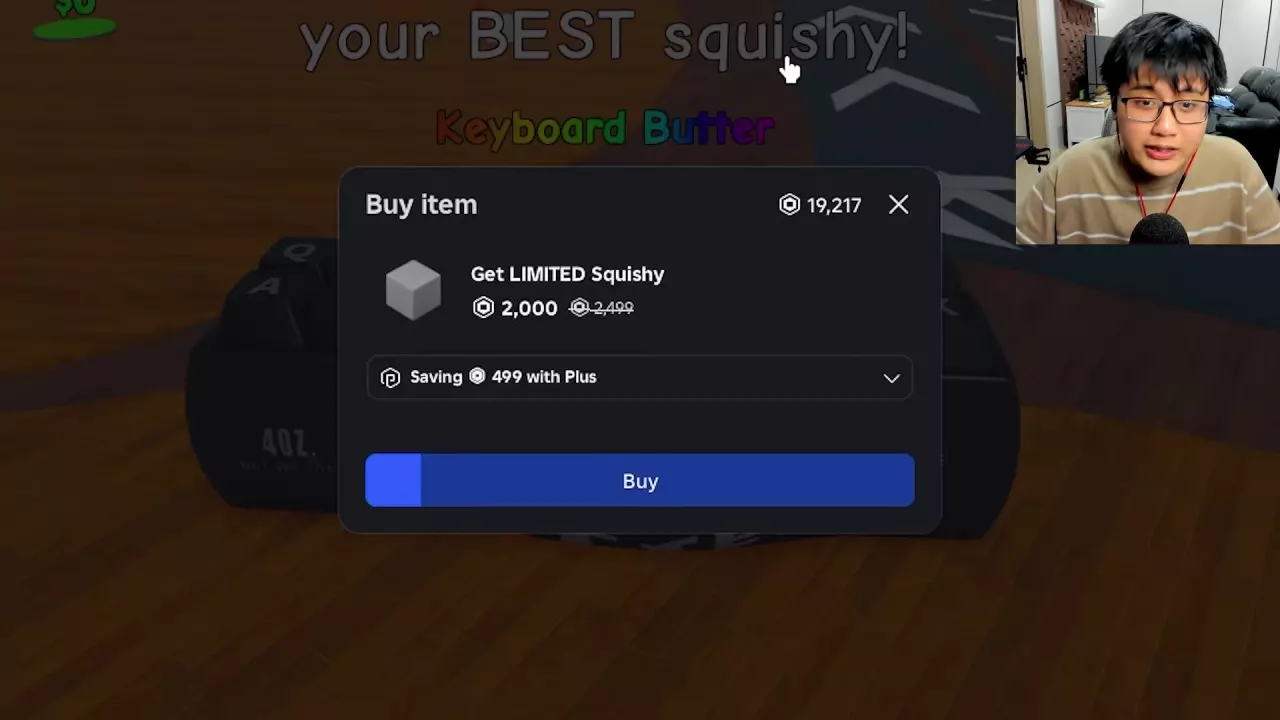
- Approach the black keyboard-shaped display marked Keyboard Butter and Limited, then use Buy.
- Read the Get LIMITED Squishy purchase dialog and confirm the Robux purchase. One Plus offer lists 2,000 Robux, with 2,499 crossed out and a saving of 499 Robux.
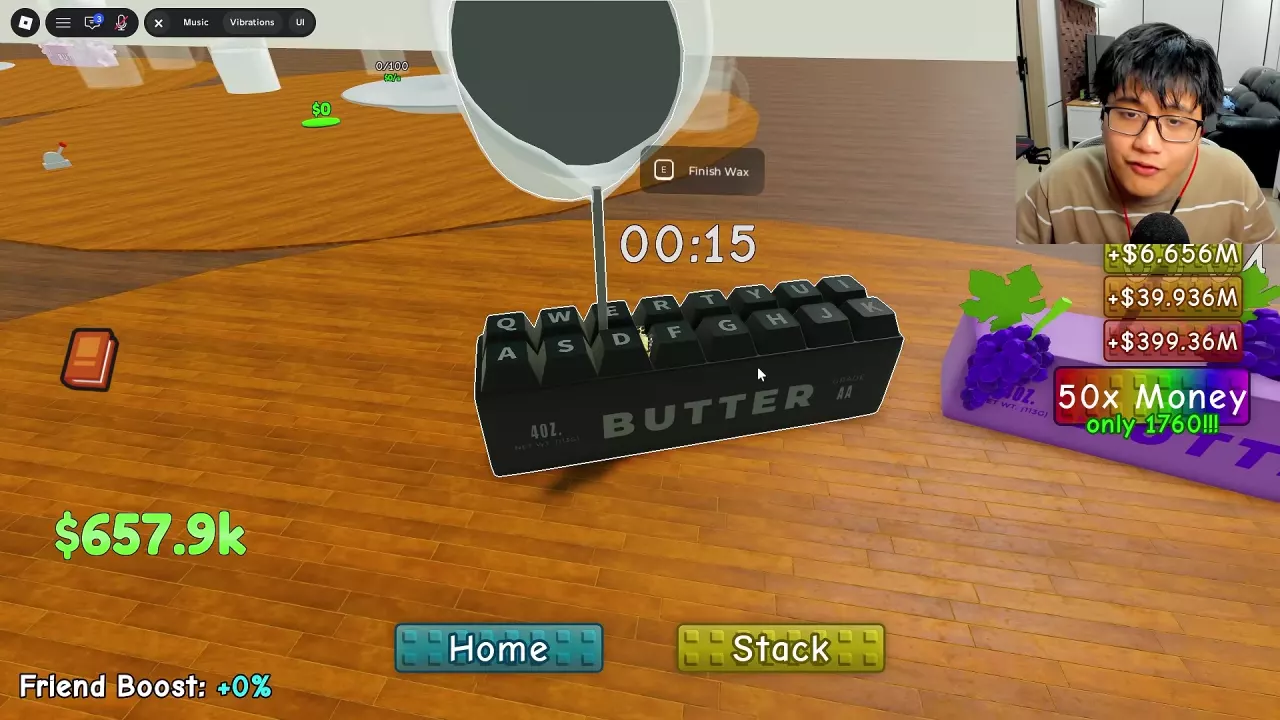
- Carry Keyboard Butter to an empty, purchased Wax Station and use Place Squishy.
- Let the wax finish. Keyboard Butter will automatically jump onto your plate and join your stack.
For ways to shorten a pour or finish it immediately, see the waxing guide.
When to Choose Keyboard Butter
Keyboard Butter is a good fit if you want a Robux purchase that scales with your best squishy, or if you particularly enjoy its keyboard sound. Cash-bought butters offer fixed Index output values, so they serve a different purpose: they can improve your stack and give you a stronger best squishy to build around. For cash purchases, see the income picks by budget.
Walk over Keyboard Butter’s raised keys to hear its keyboard sound. Its keys and casing also have changing colored details. Use Edit Stack to move it somewhere easy to reach, or switch to Spiral to spread out the stack. Limited butters remain when using the stack editor’s removal option. See the stack guide for arrangement controls, or explore other butter sounds and effects.
Related guides
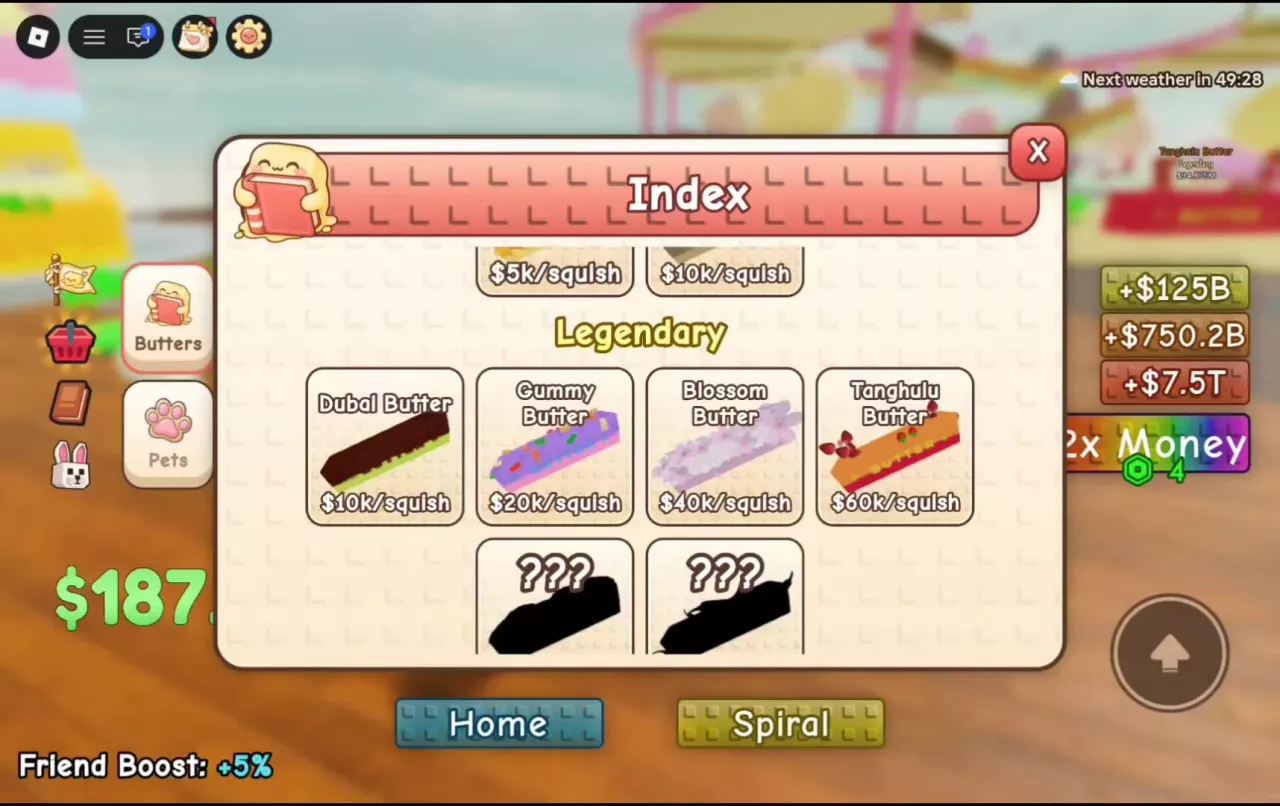
Stack A Butter Squishy Butter List, Prices and Rarities
Browse 30 butters in Stack A Butter Squishy by rarity, price and per-squish income. Compare acquisition routes and learn how to discover missing types.
Best Butters for Money by Budget in Stack A Butter Squishy
Find the best butters for money in Stack A Butter Squishy. Compare cash prices, per-squish output, stack space, and wax waits from Peanut to Mozzarella.
Stack A Butter Squishy Waxing Guide
Learn how to wax butter in Stack A Butter Squishy, compare timer examples and speed boosts, use Finish Wax, and help other players finish their pours.
Stack A Butter Squishy Stack Guide: Build, Edit and Sort
Build toward 100 butters in Stack A Butter Squishy, move and remove entries, compare five sorting patterns, and switch between Spiral and Stack.
Stack A Butter Squishy ASMR: Butter Sounds and Squish Effects
Find your favorite Stack A Butter Squishy ASMR sounds and effects: Keyboard clicks, Popcorn crunch, cheese deformation, petals, and flames.